Enter Client ID
Start by entering your client's Medical Record Number (MRN) or Client ID. This identifier is securely hashed and used for progress tracking and analytics.
Privacy First: Client identifiers are stored as hashed values, ensuring complete confidentiality while enabling longitudinal analysis.

Start Recording
Click "Start Recording" to begin your therapy session. Hollr captures audio and transcribes in real-time with no session length limits.
Important: Click "Stop Recording" when your session is complete to proceed with analysis and note generation.

Live Transcription
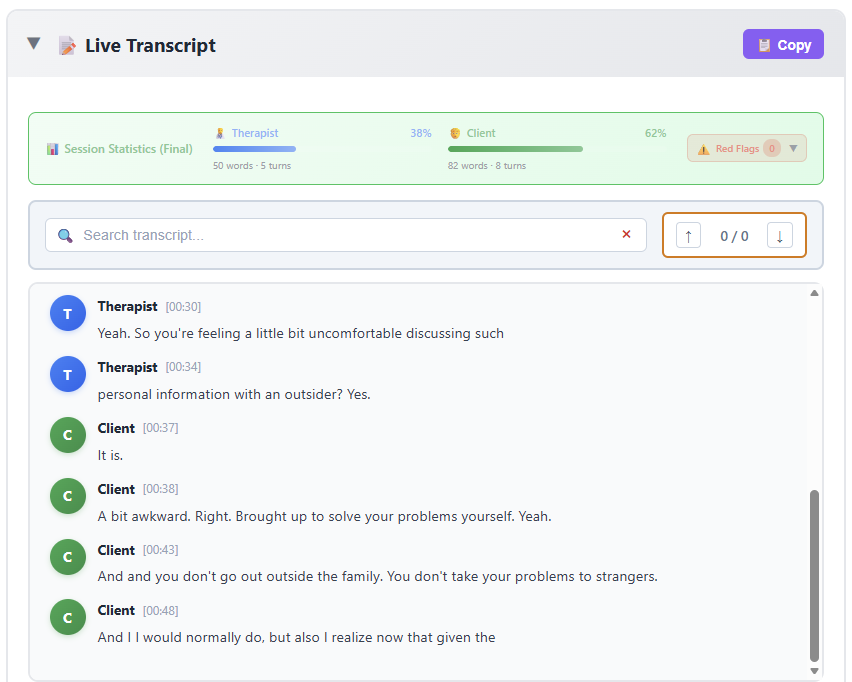
Watch as your session is transcribed in real-time with automatic speaker identification. The interface shows word counts per speaker, session statistics, and any clinical red flags detected.
Use the search bar to quickly find specific moments in the conversation. The transcript updates continuously as you speak.
Review Speaker Labels
After your session, verify that the Therapist and Client labels are correctly assigned. If needed, click "Edit Speaker Labels" to make adjustments.
Once confirmed, click "Labels Look Good - Analyze Session" to proceed with AI analysis.

Session Analysis
Hollr automatically analyzes the session and provides comprehensive clinical insights including:
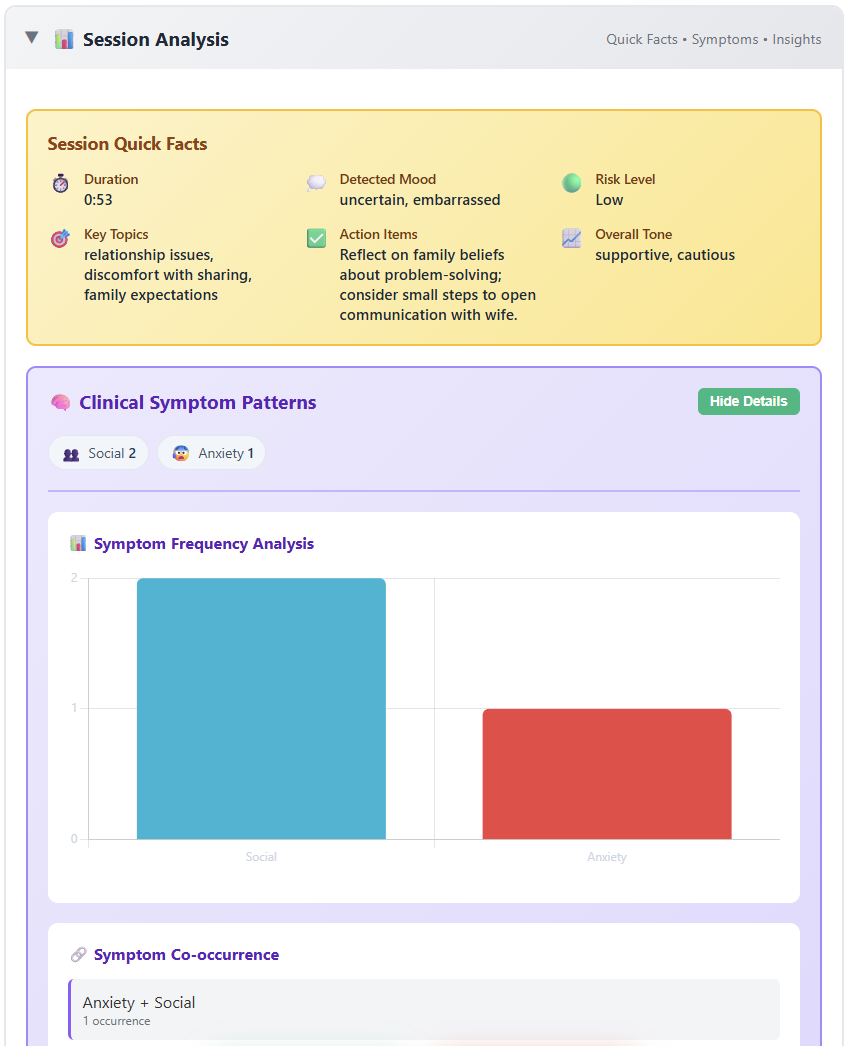
Quick Facts: Duration, key topics, detected mood, risk level, action items, and overall tone.
Clinical Symptoms: Automatic detection across 12 domains (anxiety, depression, trauma, social, etc.) with frequency analysis and co-occurrence patterns.
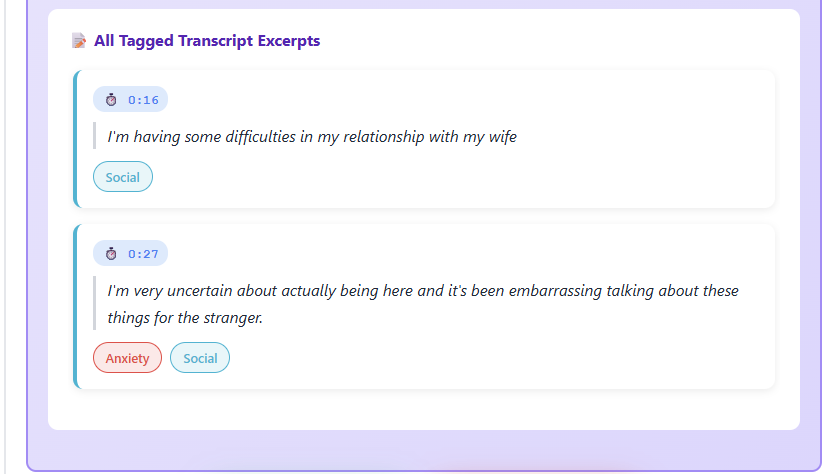
Transcript Excerpts: Tagged quotes showing exactly where symptoms were discussed.
Symptom Patterns
View detailed symptom frequency analysis with visual charts and specific transcript excerpts showing where each symptom appeared in the conversation.
Track symptom co-occurrence to identify clinical patterns across sessions.
Therapist Performance Insights
Get detailed feedback on your therapeutic approach including:
Reflection Patterns: Analysis of open questions, empathetic responses, and talk time ratio (therapist vs. client).
Question Quality: Breakdown of surface-level vs. exploratory questions with specific examples from your session.
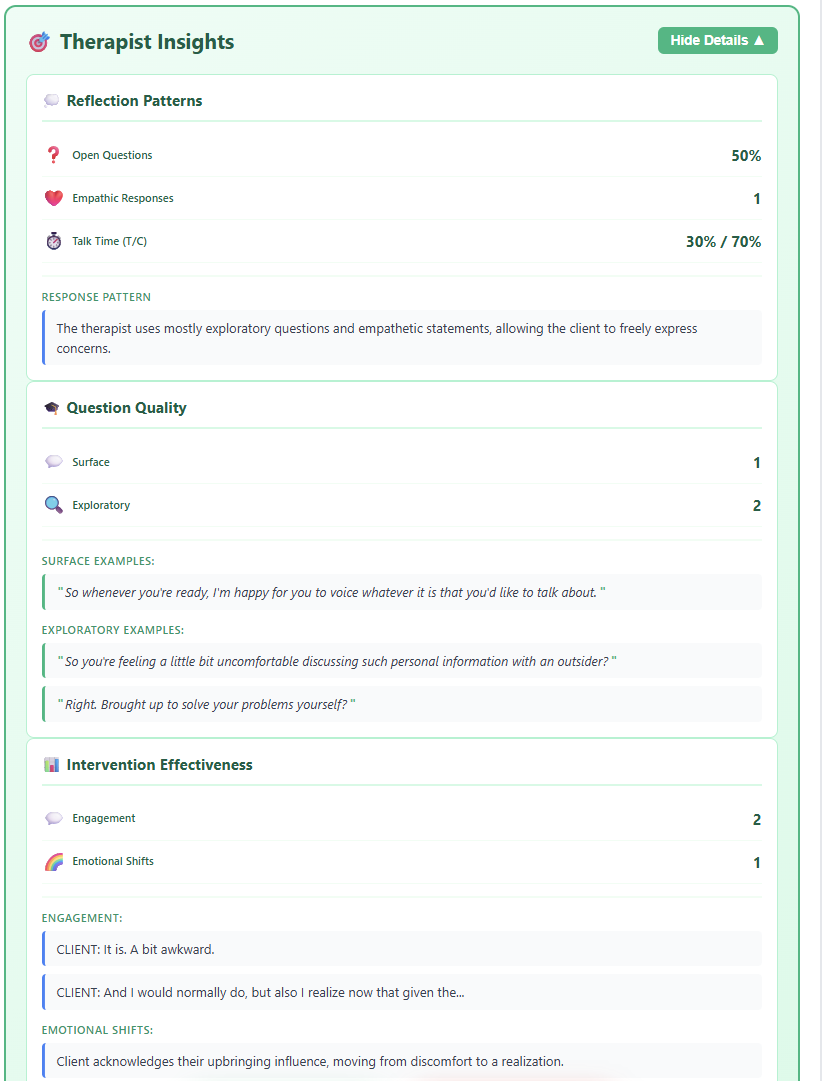
Intervention Effectiveness
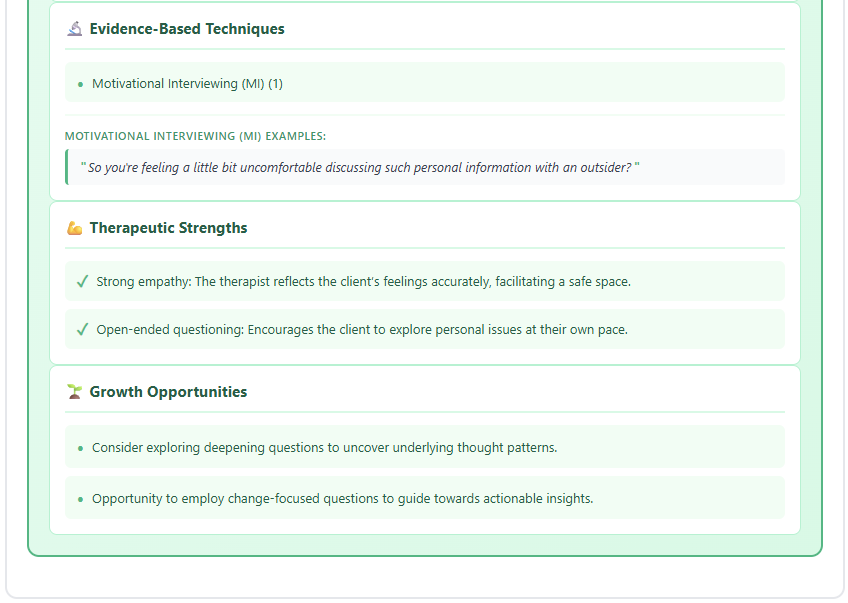
Analyze your clinical interventions with metrics on client engagement and emotional shifts. See evidence-based techniques you used and receive actionable suggestions for growth.
Identify your therapeutic strengths and opportunities for professional development.
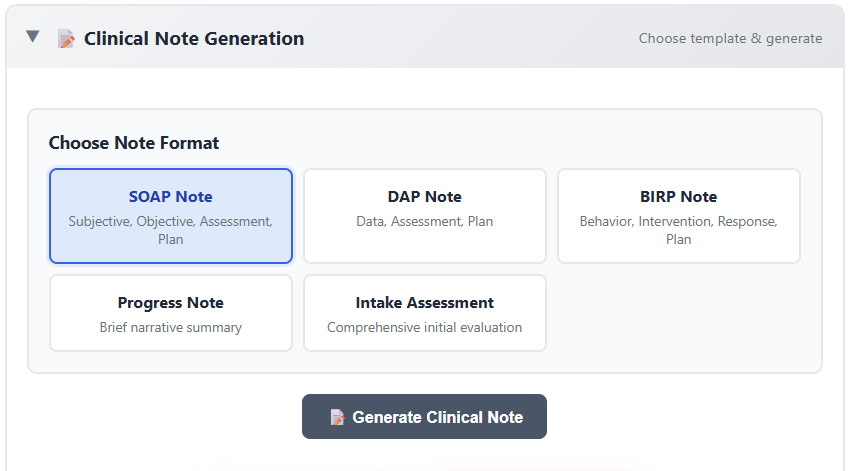
Generate Clinical Note
Select your preferred clinical note format from five professional templates:
• SOAP Note: Subjective, Objective, Assessment, Plan
• DAP Note: Data, Assessment, Plan
• BIRP Note: Behavior, Intervention, Response, Plan
• Progress Note: Brief narrative summary
• Intake Assessment: Comprehensive initial evaluation
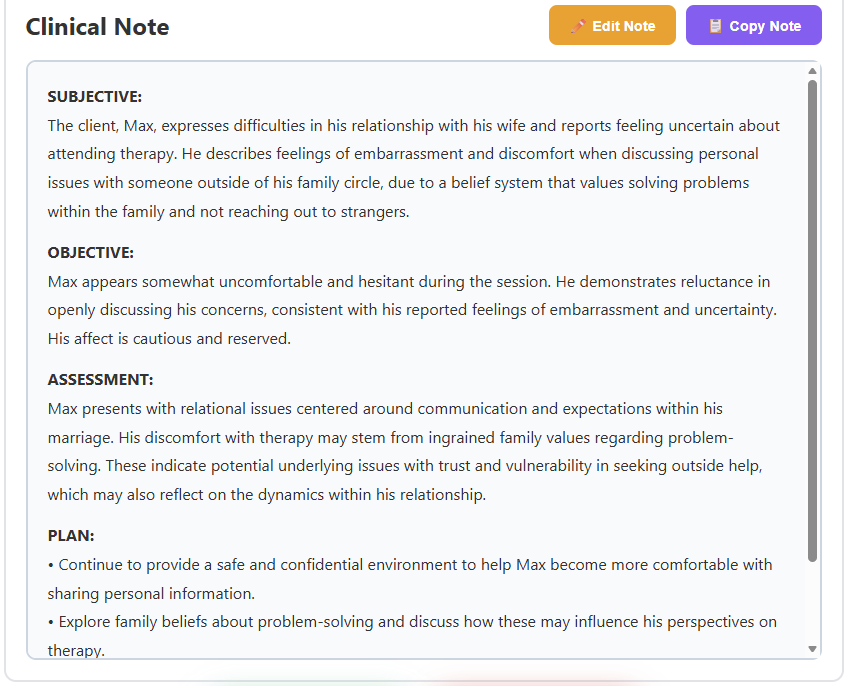
Professional Clinical Note
Your clinical note is generated instantly with all required sections completed professionally. The note includes relevant clinical observations, assessment details, and treatment planning based on your session.
Edit the note directly in the interface or copy it to your EMR system with one click.
Save or Start New Session
Click "Save Session" to store all your work - the transcript, analysis, insights, and clinical note are saved securely to your account.
Ready for your next client? Click "New Session" to start fresh while keeping everything from this session accessible in your history.